> ## Documentation Index
> Fetch the complete documentation index at: https://docs.corsa.finance/llms.txt
> Use this file to discover all available pages before exploring further.
# AI Compliance Copilot - Natural Language Data Exploration
> Ask compliance questions in plain language and get instant, data-grounded answers with charts, tables, and follow-up suggestions.
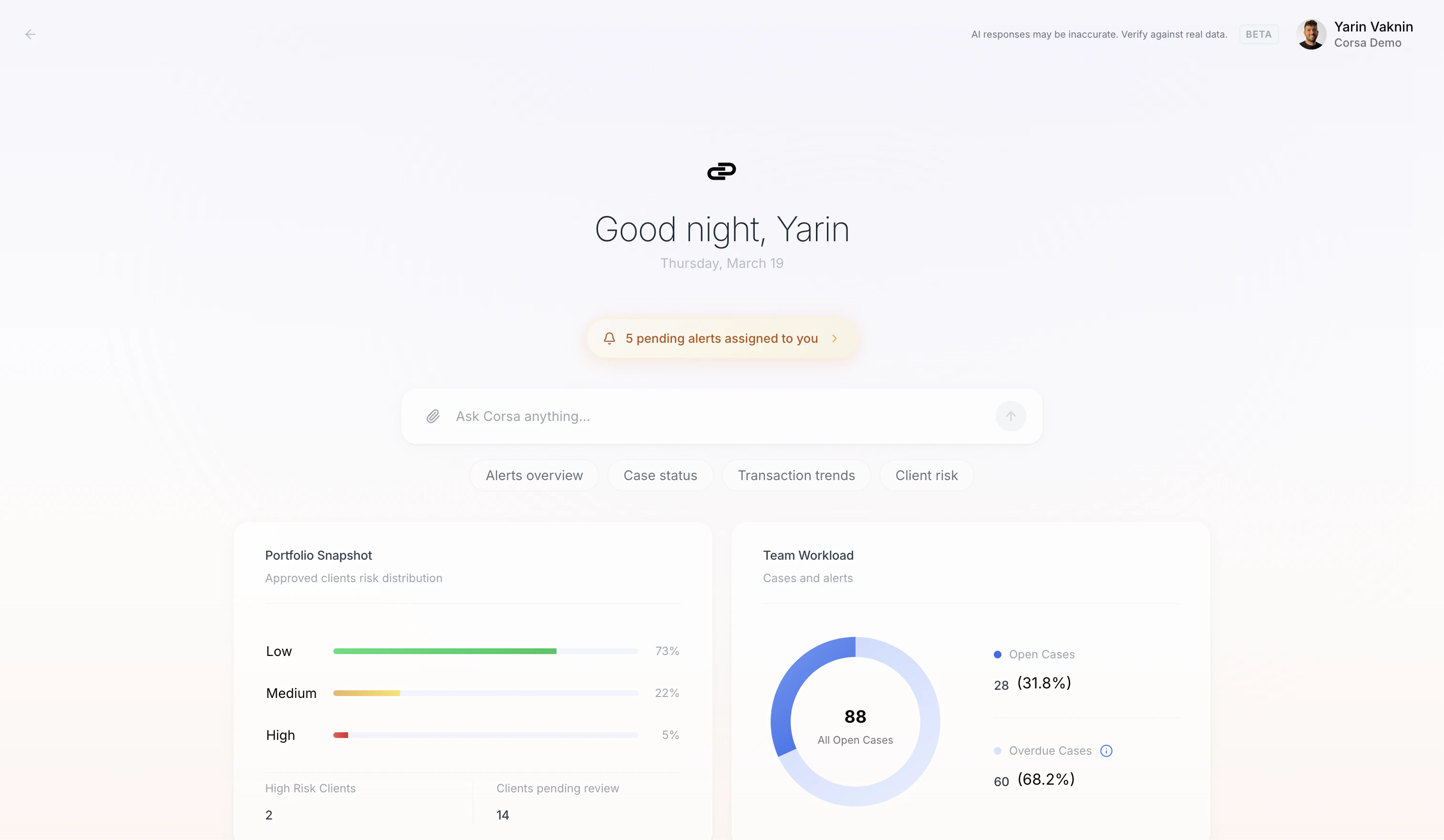
Corsa Copilot is an AI agent that turns your compliance data into decision-ready intelligence. Just ask a question and get answers with charts, tables, and follow-up suggestions - all grounded in your real-time data.
 ## How It Works
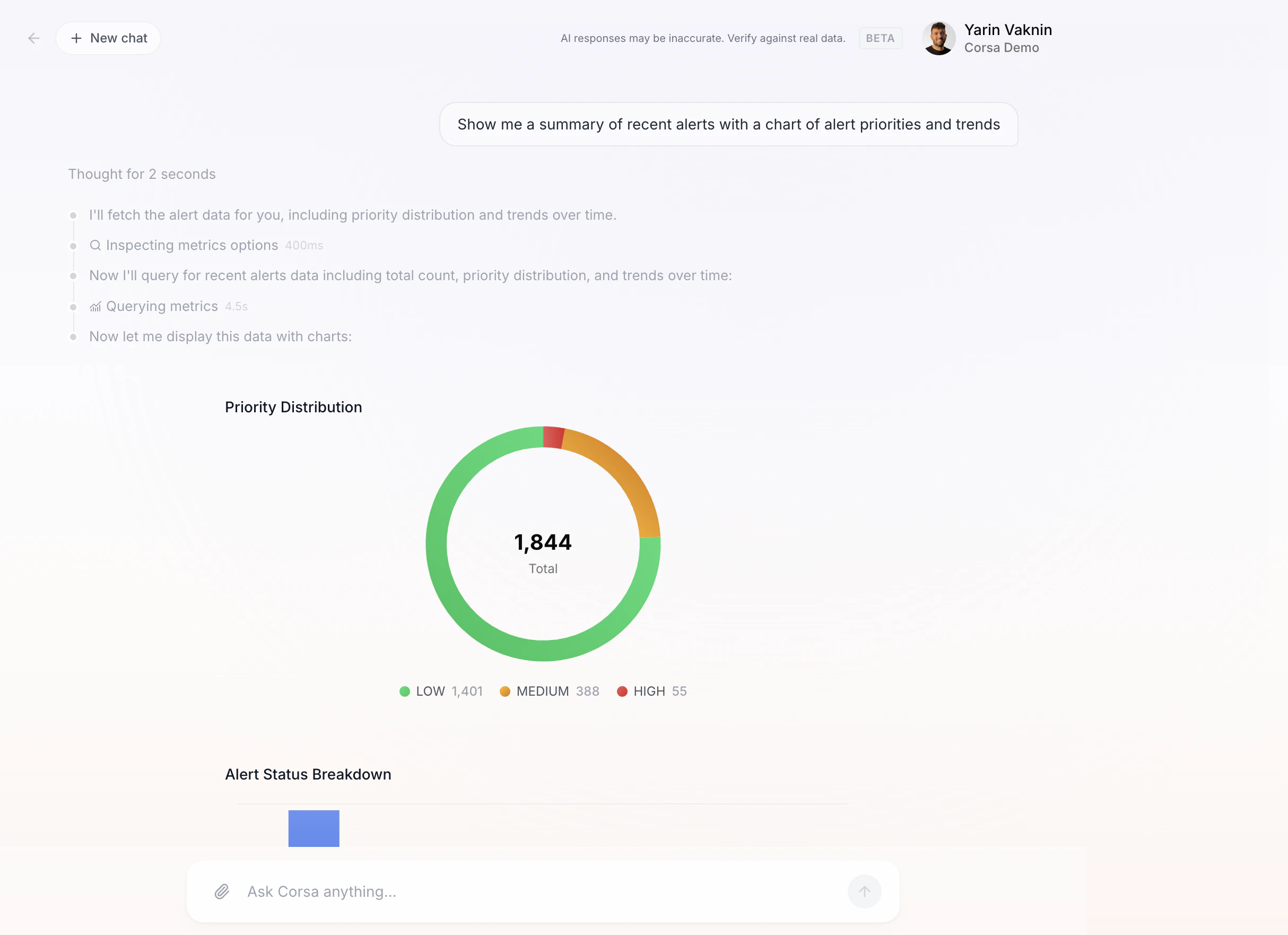
Copilot runs in **agent mode**. When you ask a question, it thinks through an approach, calls tools to query your data in real time, and synthesizes results into a clear response. Every step is visible - you can see exactly what the agent did and how long it took.
## How It Works
Copilot runs in **agent mode**. When you ask a question, it thinks through an approach, calls tools to query your data in real time, and synthesizes results into a clear response. Every step is visible - you can see exactly what the agent did and how long it took.
 ## Quick Actions
One-click prompts below the chat input get you started fast:
* **Alerts overview** - Alert volume, priority breakdown, and trends.
* **Case status** - Open cases, overdue items, team workload.
* **Transaction trends** - Recent transaction volume and patterns.
* **Client risk** - Risk distribution across your client portfolio.
## Attaching Entities
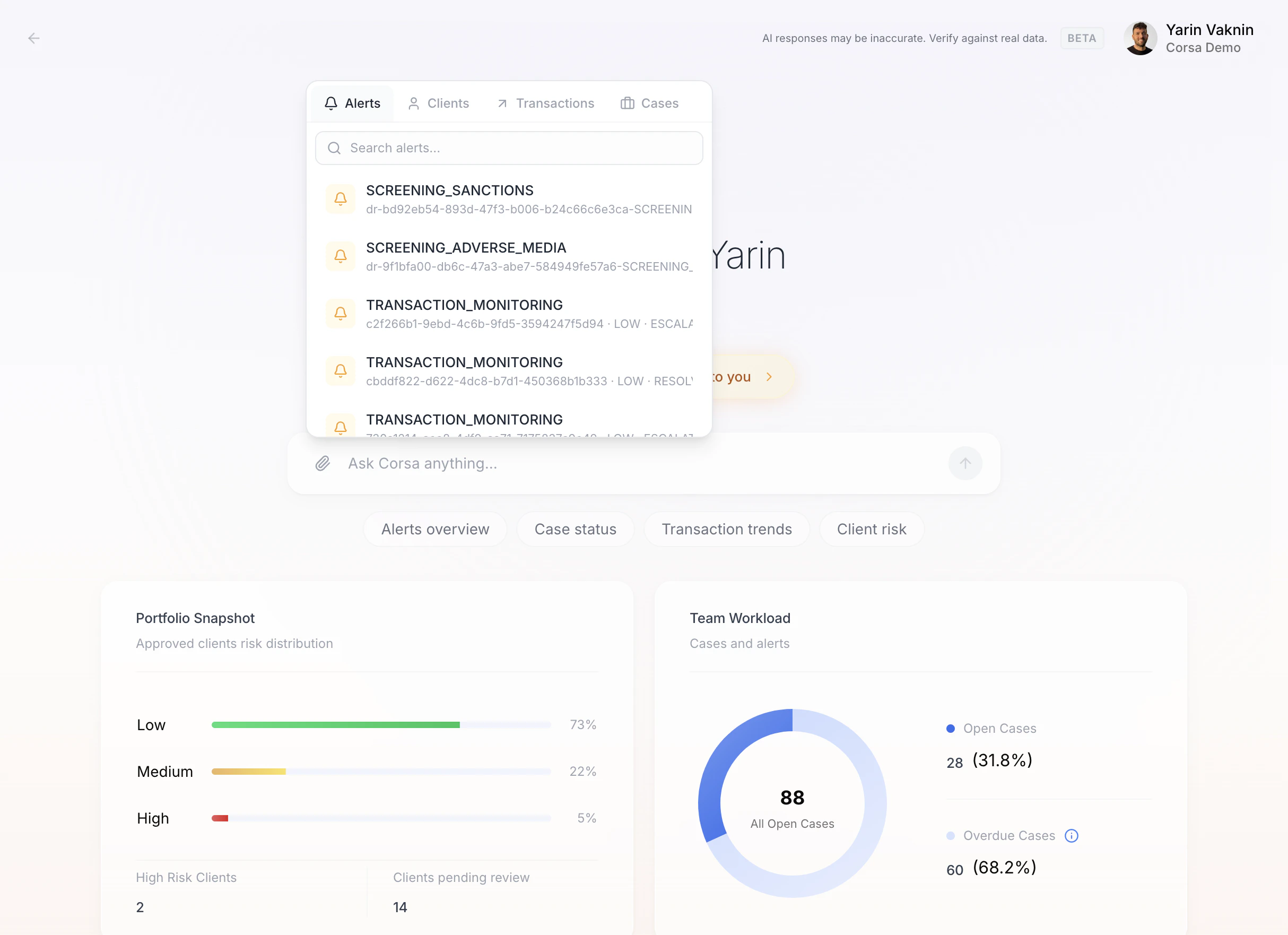
Pin a specific alert, client, transaction, or case to your conversation using the **Attach entity** button. All follow-up questions will be scoped to that entity.
## Quick Actions
One-click prompts below the chat input get you started fast:
* **Alerts overview** - Alert volume, priority breakdown, and trends.
* **Case status** - Open cases, overdue items, team workload.
* **Transaction trends** - Recent transaction volume and patterns.
* **Client risk** - Risk distribution across your client portfolio.
## Attaching Entities
Pin a specific alert, client, transaction, or case to your conversation using the **Attach entity** button. All follow-up questions will be scoped to that entity.
 ## Dashboard Widgets
The landing page shows live widgets at a glance: **Portfolio Snapshot**, **Team Workload**, **Alerts by Priority**, and **Transaction Volume Summary**.
## Feedback
Thumbs-up and thumbs-down buttons on every response help Corsa improve over time.
***
Want to see Copilot in action with your own data? [Schedule a demo](https://corsa.finance) or learn more about [Corsa's AI capabilities](https://corsa.finance).
## Dashboard Widgets
The landing page shows live widgets at a glance: **Portfolio Snapshot**, **Team Workload**, **Alerts by Priority**, and **Transaction Volume Summary**.
## Feedback
Thumbs-up and thumbs-down buttons on every response help Corsa improve over time.
***
Want to see Copilot in action with your own data? [Schedule a demo](https://corsa.finance) or learn more about [Corsa's AI capabilities](https://corsa.finance).