

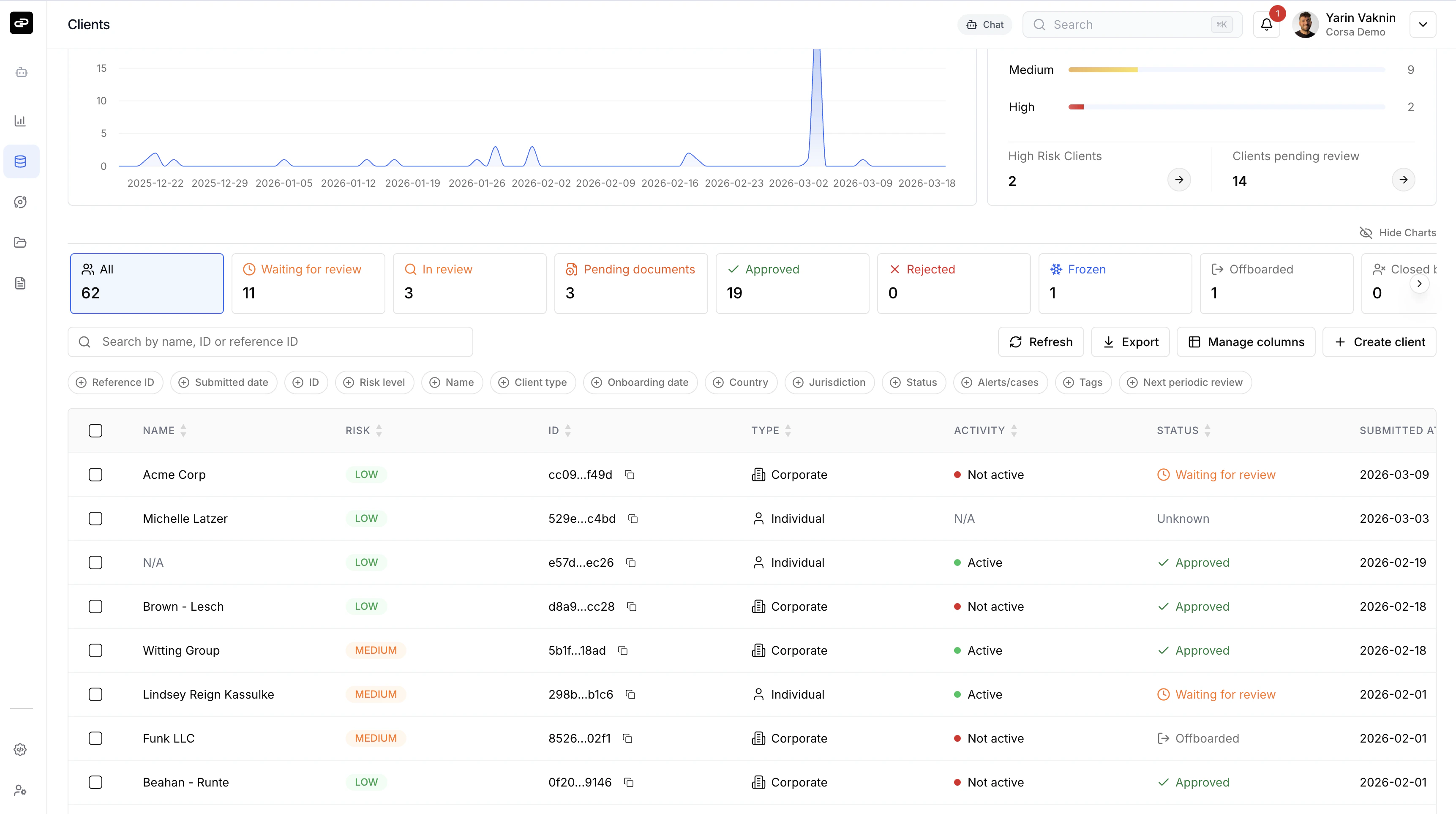
Client List
Filter clients using status tabs - Waiting for review, In review, Pending documents, Approved, Rejected, Frozen, Offboarded, and Closed by client. Each tab shows a count so you know where attention is needed. The table is fully customizable. Use Manage columns to pick the fields you care about - name, risk level, client type, country, alerts/cases, tags, next periodic review, and more. Every column is sortable and filterable. Toggle Show Charts for visual dashboards: client submission volume over time and a risk distribution snapshot. You can search by name, ID, or reference ID, export the current view, or create a new client directly from the toolbar.Client Profile
Click any client to open their full profile.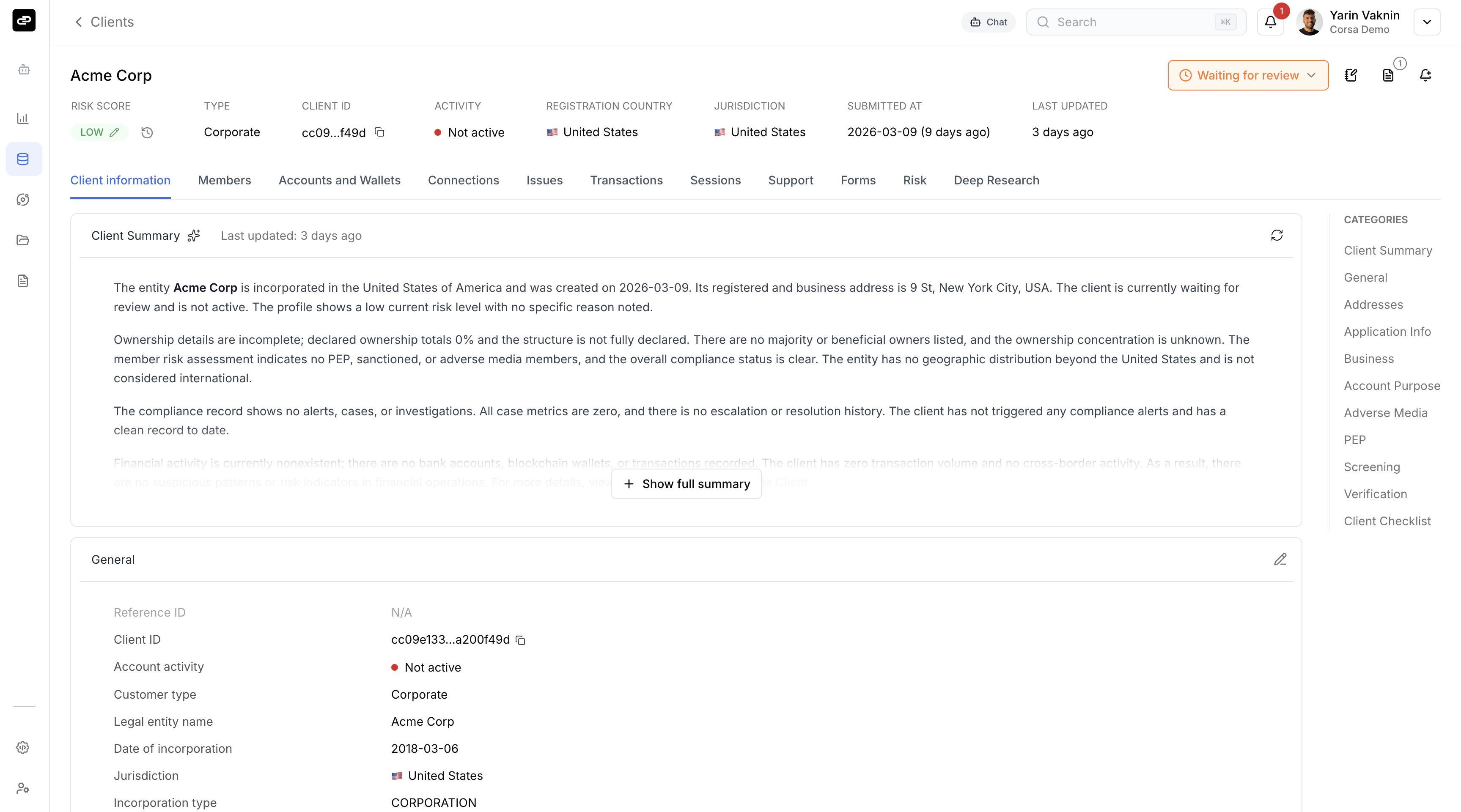
- Client information - General details, addresses, business info, source of funds, screening results, verification documents.
- Members - Directors, shareholders, and UBOs (for corporate clients).
- Accounts and Wallets - Linked bank accounts and blockchain wallets.
- Transactions - Full transaction history.
- Risk - Risk assessment breakdown and scoring factors.
- Deep Research - AI-powered open-source research reports.
- Plus: Connections, Issues, Sessions, Support, and Forms.