
Plain Integration
The Plain integration connects your Plain customer support platform directly to the Corsa platform. All customer support conversations - including threads, messages, and attachments - are automatically synced from Plain into your Corsa dashboard via real-time webhooks. This ensures your compliance team has complete visibility into customer support interactions alongside compliance data, without switching between platforms. The result: a unified view of each client and a better context for compliance decisions.
How It Works: A Simple, Automated Flow
The integration is designed to be seamless and work for you in the background. Here's a step-by-step look at how it operates:
Secure Connection
You start by securely linking your Plain workspace to Corsa. This is a one-time setup that authorizes Corsa to receive customer support conversations from Plain on your behalf. All credentials are fully encrypted and securely stored.
Automatic Real-Time Syncing
Corsa receives real-time webhook notifications from Plain whenever new conversations are created, messages are sent or received, or thread statuses change. These events are instantly processed and synced directly into your Corsa dashboard. No manual imports, no stale data — just one consistent source of truth with real-time updates from Plain.
Keeping Everything Up-to-Date
The integration ensures your conversations are always accurate and never duplicated:
- New Conversations: When a new support thread is created in Plain, it's automatically created in Corsa via webhook.
- New Messages: When emails are sent or received in Plain, they're instantly synced to the corresponding conversation in Corsa.
- Status Changes: If a thread status changes in Plain (e.g., moved to done or snoozed), that update is instantly reflected in Corsa through real-time webhook notifications.
This real-time sync guarantees your Corsa dashboard always has the latest customer support conversations from Plain, saving time and reducing errors.
Prerequisites
Before you begin, ensure that:
- You have owner access to the Corsa application.
- You have a Plain account with permission to generate API credentials and configure webhooks.
Setting Up the Plain Integration
-
Navigate to Integration Settings
- Log in to Corsa.
- Go to Settings → Integrations.
-
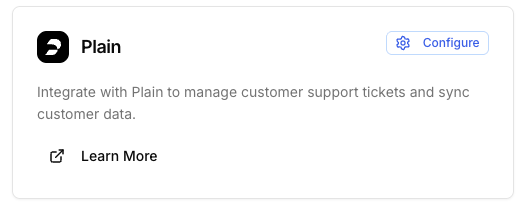
Click on the
Configurebutton to begin the configuration process-
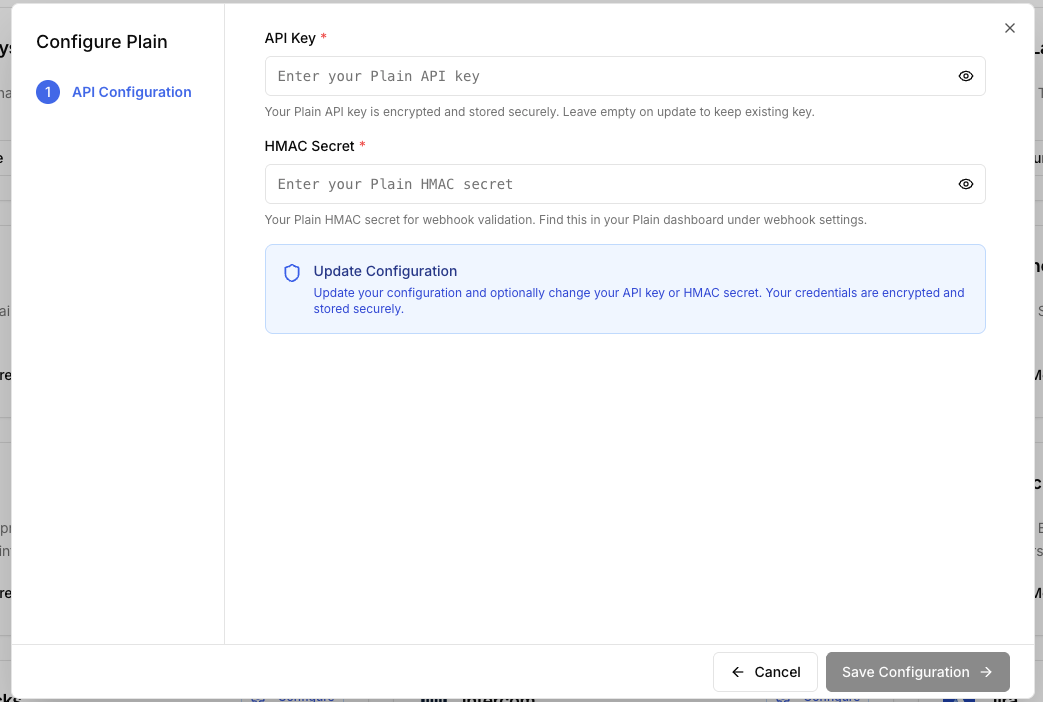
Enter Plain Credentials - you will need to:
- Plain API Key
- Plain HMAC Secret
-
-
Set Up the Webhook in Plain:
-
After saving, the webhook configuration will appear on the screen.
-
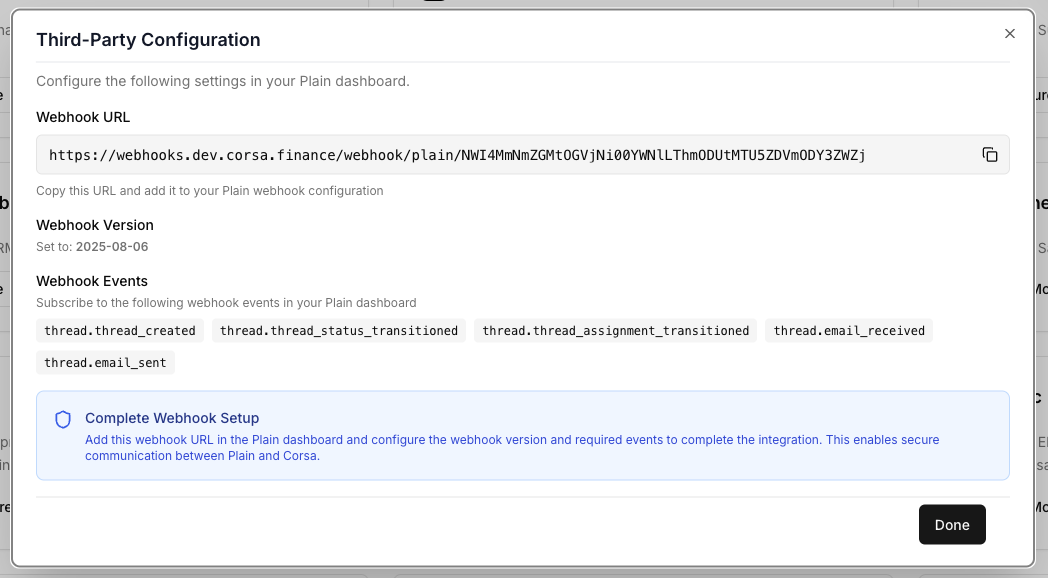
Configure the webhook in Plain with the values generated by Corsa.
-
-
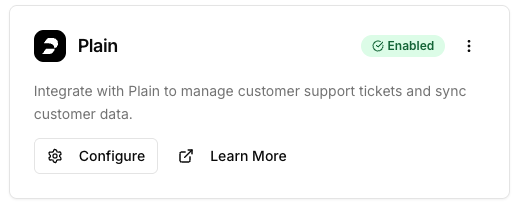
If the configuration was successful you should see it in an enabled status:
- Viewing Third-Party Configuration later
- If you need to retrieve the webhook configuration later, click the "Third-Party Configuration" button in the Corsa integration settings.
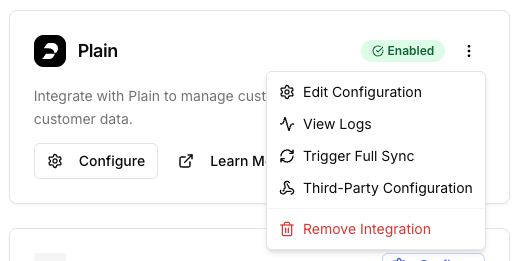
Historical Conversation Import
In addition to real-time syncing, Corsa can import historical conversations from Plain for your existing clients.
Prerequisites:
Before importing conversations for a client, you must add their Plain Customer ID to the client record in Corsa. This links the Corsa client to their corresponding customer in Plain.
You can do this by:
- Updating an existing client via the Corsa API with the Plain Customer ID.
- Creating a new client via the Corsa API and including the Plain Customer ID.
How to Trigger the Sync:
- Ensure the Plain Customer ID is set on the relevant client records in Corsa.
- Go to Settings → Integrations → Plain.
- Click the "Trigger Full Sync" button.
Corsa will then fetch recent support history from Plain for all clients that have a Plain Customer ID but haven't been synced yet.
What Gets Imported:
- Up to 10 threads per customer
- Conversations from the last 90 days
- All messages, statuses, and attachments within those threads
After the Sync: Once a client's conversations have been imported, they are marked as synced and won't be re-imported on subsequent syncs- only new activity will come through via real-time webhooks.
Automatic Client Matching
When a new conversation is received via webhook, Corsa automatically links it to the correct client record using the Plain Customer ID. For the conversation to sync, the client in Corsa must have a matching Plain Customer ID set on their record.
Note: If an individual client doesn't have a Plain Customer ID but their email address matches the customer's email in Plain, the conversation will still sync. Corsa will automatically update the client record with the Plain Customer ID for future matching.
Updated about 12 hours ago