
Utila Integration
The Utila integration connects your Utila custody vaults to the Corsa compliance platform, enabling automated synchronization of wallets, transactions, and corporate client records for streamlined compliance monitoring.
Overview
The Utila integration automatically imports your custody data into Corsa, including:
- Blockchain wallets and their addresses across all supported networks
- Deposits and withdrawals with full transaction details (hash, block number, fees, asset info)
- Real-time updates via webhooks for transaction state changes, new wallets, and AML screening results
Once configured, the integration runs both on a scheduled basis and in real time, ensuring your data stays up to date with minimal manual effort.
How It Works
- Scheduled Sync - Corsa periodically triggers a sync job that fetches all wallets and transactions from your Utila vault and imports them into the compliance platform.
- Real-Time Webhooks - Utila sends webhook events (e.g., new transactions, status changes) to Corsa in real time, so compliance records are updated immediately as activity occurs in your vault.
- Automatic Classification - Incoming transactions are automatically classified as deposits or withdrawals based on whether the destination or source address belongs to your vault.
Supported Blockchains
| Network | Mainnet | Testnet |
|---|---|---|
| Ethereum | Yes | Yes (Sepolia) |
| Bitcoin | Yes | Yes |
| Polygon | Yes | — |
| Solana | Yes | Yes (Devnet) |
| Tron | Yes | — |
| Avalanche (C-Chain) | Yes | — |
| Arbitrum | Yes | — |
| Optimism | Yes | — |
| Base | Yes | — |
| BNB Smart Chain | Yes | — |
Wallet address extraction supports EVM, Bitcoin, and Solana address formats.
Data Synchronization
Wallets
Each wallet and its addresses from your Utila vault are imported as blockchain wallet records in Corsa.
- Wallets are automatically associated with the corporate client record representing your vault.
- Multi-network wallets (e.g., an EVM wallet active on Ethereum, Polygon, and Arbitrum) generate a wallet record per network.
- Wallets are uniquely identified by a reference ID derived from the Utila wallet address name, ensuring idempotent sync (no duplicates on re-sync).
- Utila-specific metadata (wallet ID, additional details) is preserved on the Corsa record for traceability.
Transactions
Transactions from your Utila vault are imported as deposit or withdrawal records in Corsa.
- Deposits: Transactions where the destination address belongs to your vault.
- Withdrawals: Transactions where the source address belongs to your vault.
- Each record includes:
- Transaction hash and block number
- Asset symbol (e.g., ETH, BTC, USDC)
- Amount and mining fees
- Blockchain network (chain)
- Source and destination addresses
- Full status history with timestamps
- Transactions are processed in batches for efficiency.
Sync Modes
| Mode | Description |
|---|---|
| Full Sync | Fetches and imports all wallets and all transactions from the vault. Use for initial onboarding or reconciliation. |
| Partial Sync | Fetches all wallets but only imports transactions created after the last sync timestamp. Used for regular scheduled syncs to minimize processing time. |
Real-Time Webhooks
The integration listens for the following Utila webhook events to keep Corsa records updated in real time:
| Event | Description |
|---|---|
| Transaction Created | A new transaction is detected — creates a deposit or withdrawal record in Corsa. |
| Transaction State Updated | A transaction's state changes (e.g., pending → confirmed) — updates the corresponding record status. |
| AML Screening Result Ready | AML screening is completed for a transaction — syncs the transaction with screening results. |
| Wallet Created | A new wallet is created in the vault — creates corresponding blockchain wallet records in Corsa. |
| Wallet Address Created | A new address is added to an existing wallet — creates a new blockchain wallet record for that address. |
Webhook events are processed with automatic retry logic to handle transient failures.
Transaction Status Mapping
Utila transaction states are mapped to Corsa statuses as follows:
| Utila State | Corsa Status |
|---|---|
CONFIRMED, MINED | Success |
FAILED, DROPPED | Failed |
CANCELLED, EXPIRED, DECLINED, DECLINED_BY_AML_POLICY, REPLACED | Cancelled |
AWAITING_APPROVAL, SIGNED, PUBLISHED, and all other states | Pending |
The original Utila state is always preserved as a sub-status for full auditability.
Setup & Credentials
To enable the Utila integration, the following credentials are required:
| Credential | Description |
|---|---|
| Utila RSA Private Key | RSA private key used to generate JWT tokens for Utila API authentication. |
| Utila Service Account Email | The email address of the Utila service account. |
| Utila Vault ID | The ID of the Utila vault to synchronize. |
Authentication to the Utila API uses short-lived JWT tokens (RS256) that are automatically generated and refreshed.
Prerequisites
Before you begin, ensure that:
- You have owner access to the Corsa application.
- You have a Utila account with permission to generate API credentials and configure webhooks.
Setting Up the Utila Integration
- Log in to Corsa.
- Go to Developers Hub → Integrations.
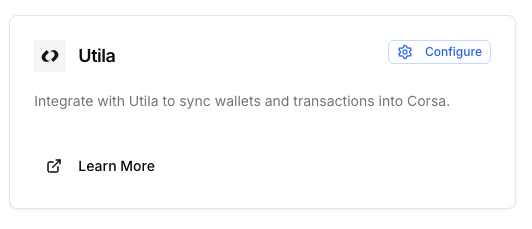
- Click on the Configure button
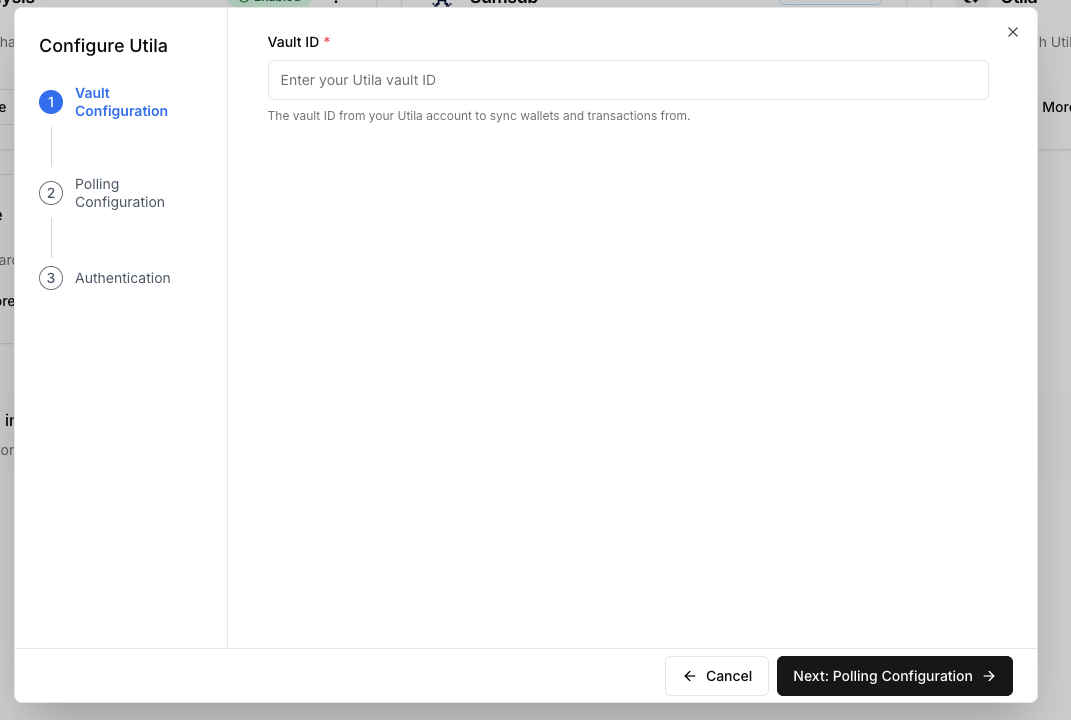
- Insert your Vault ID from Utila
-
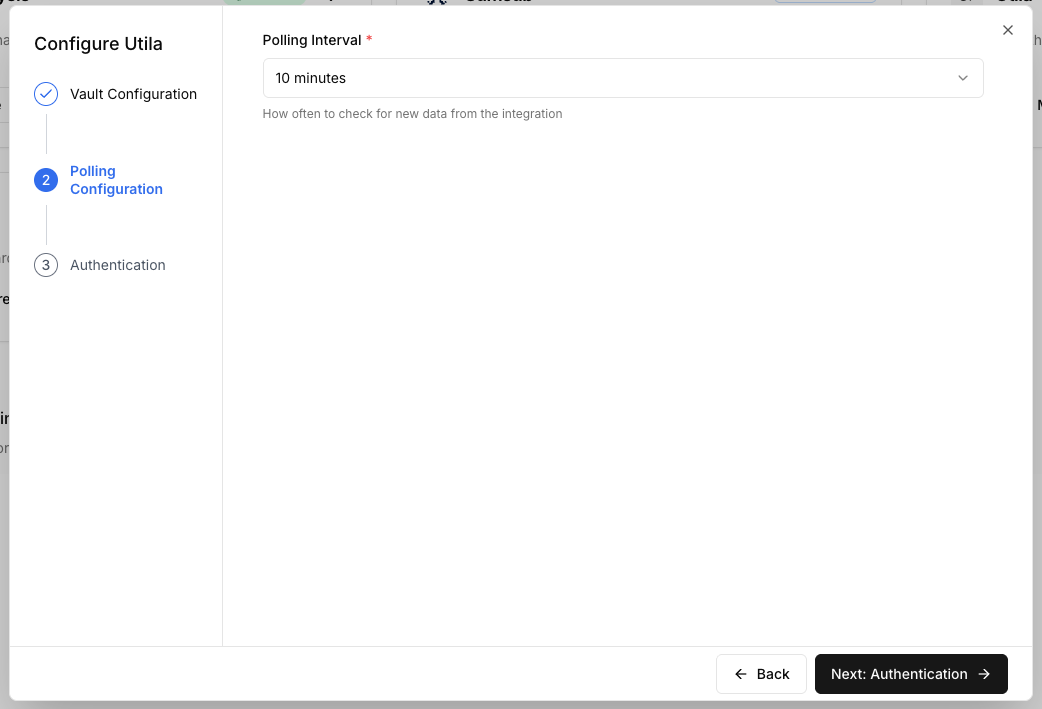
Insert the polling configuration (how often do you want to poll updated data from Utila)
-
Once finished setting it up - Corsa will generate a key pair that will be used for the integration. You need to create a new service account in Utila's settings - with the specified public key. For example:
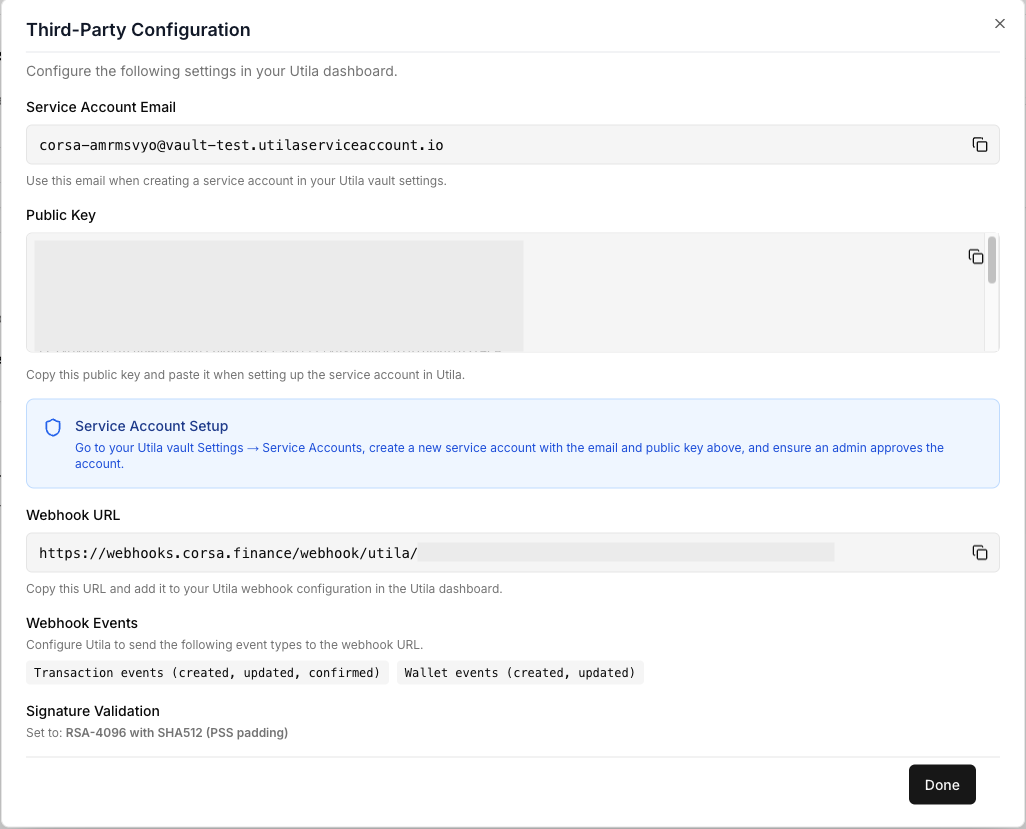
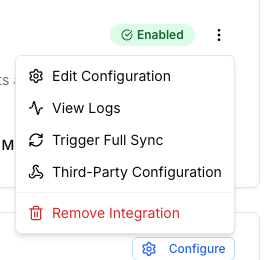
You should also configure the webhook url to the one shown in the dialog with the specified events types. You can alway see these configurations by clicking the three dotted button on the integration card and clicking "Third-Party Configuration".
Updated about 17 hours ago